
Updated
Build a custom hotkey
Key combo, order type, price anchor and offset, size mode — saved to your account.
- Open Settings → Hotkeys.
- Click + Buy, + Short, + Sell / Close, + Cover or + Cancel all under the roster. A new binding appears selected.
- Fill in the editor on the right.
- Press Save hotkeys. The change applies to your current session immediately — no refresh.
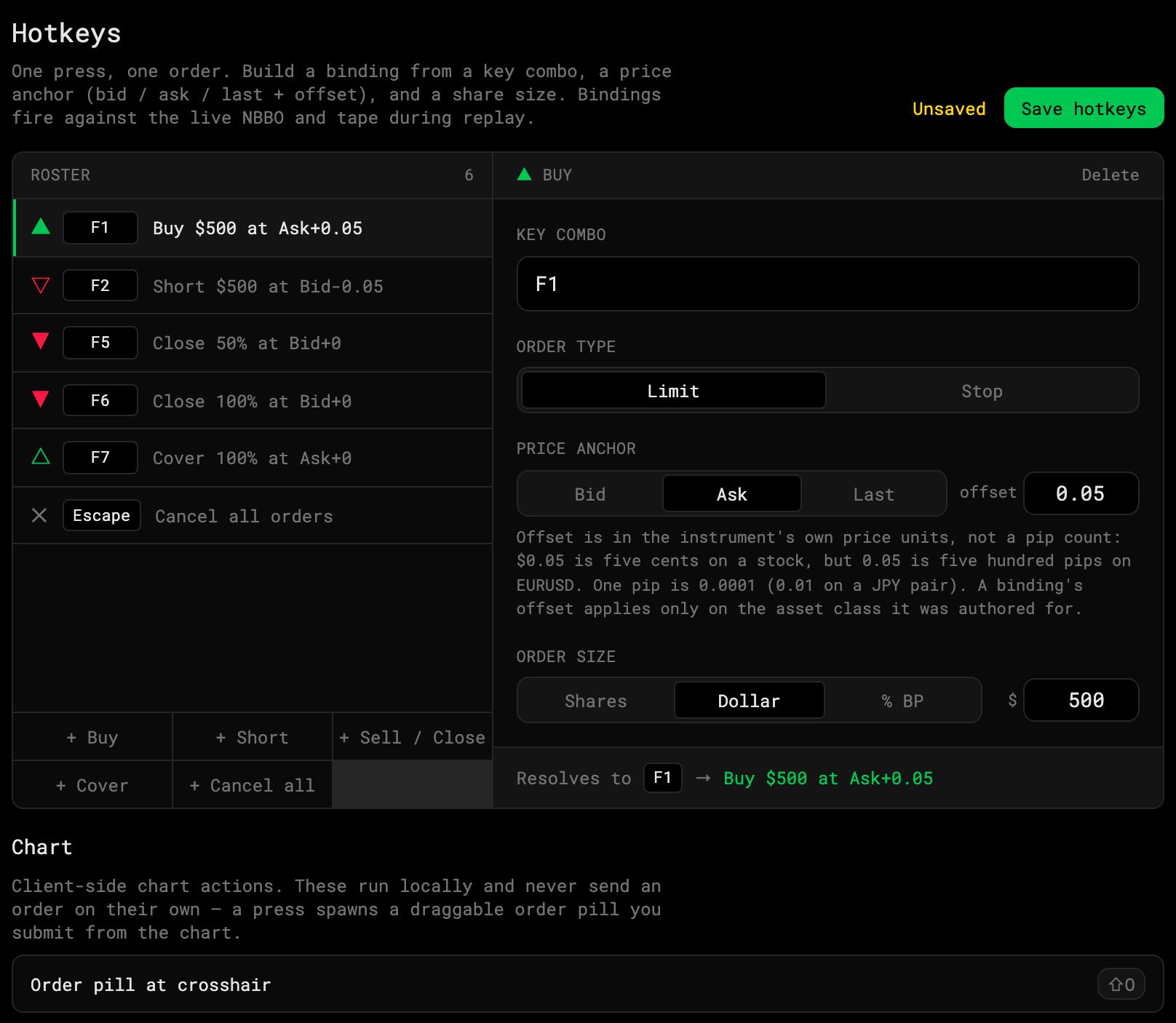
1 · Price anchor: Bid / Ask / Last2 · Offset3 · Size mode
The editor
- Key combo. Click the box and press the keys. Single keys (F3), modifiers (Shift+F1) and letters all work.
- Order type. Limit or Stop.
- Price anchor. Bid, Ask or Last, plus an offset in the instrument’s own price units. Ask + 0.05 on a stock is five cents through the ask — the classic “pay up to get filled” entry. Bid − 0.05 on a short does the same on the way down.
- Order size. Shares, Dollar or % BP (percent of buying power). Sell/Close and Cover bindings size as a percent of the position instead.
The line at the bottom — Resolves to F1 → Buy $500 at Ask+0.05 — is exactly what will happen when you press it.
Delete
Select the binding, click Delete at the top of the editor, then Save hotkeys.