
Updated
Panels and the Window Catalog
Open, close, tab, split and resize the windows that make up the desk.
The desk is a tiling workspace: every window is a panel you can drag, dock, tab and resize, like a broker terminal.
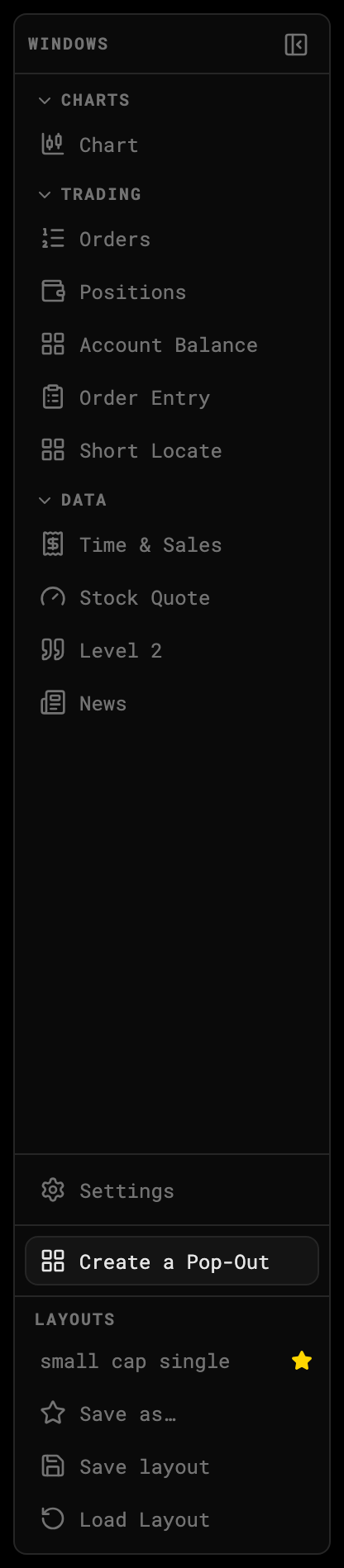
1 · Click to open a window2 · Pop-out wizard3 · Layouts
Open a window
Click any entry in the Window Catalog rail. Windows are grouped:
| Group | Windows |
|---|---|
| Charts | Chart |
| Trading | Orders, Positions, Account Balance, Order Entry, Short Locate |
| Data | Time & Sales, Stock Quote, Level 2, News |
| Scanners | Alerts, Top Gainers (Scanner Day sessions) |
Charts and Level 2 can be opened more than once — three charts side by side is a normal layout.
Arrange windows
- Drag a tab onto another window to stack them as tabs, or to an edge to split.
- Drag a divider to resize.
- Close with the × on the tab. Reopen it from the rail any time.
- Collapse the rail with the icon at its top-right when you need the width.
Persisted automatically
Your arrangement saves to your account as you change it. Come back tomorrow, same desk. To keep several arrangements, see Save and load layouts.